Describe a gadget.
Watch it get built.
Tell Fabwright what you want, a robot that avoids walls or a pet with a screen. It picks the parts, wires them, writes the code, runs it in a real simulator, tests it, and designs a case you can 3D print.
No parts to buy until it works. Your first build runs in the browser.
From one sentence to a thing you can hold
The same steps an engineer would take, done for you, with every choice explained in plain words.
"A plant monitor that beeps when the soil is dry." Fabwright plans it and asks one question if it needs to.
Real boards, sensors, screens and motors, wired pin to pin, with mistakes like a missing resistor caught.
The actual firmware runs on an emulated chip. The LED lights because the code turned it on.
Press buttons, change sensors, drive the robot in an arena. Tests prove it does what you asked.
A 3D-printable case that fits the parts, a buy list and numbered assembly steps.
Three builds, start to finish
Each one started as a single sentence to an AI agent using Fabwright's tools, and ended with passing tests.
Two motors, a motor driver and an ultrasonic sensor. Tested driving an arena with zero collisions.
An OLED face, three buttons and a buzzer. Hunger and joy go down; feeding and playing bring them up.
Servos and knobs: move it by hand, then it repeats the motion. Checked against a target it has to reach.
A case that actually fits
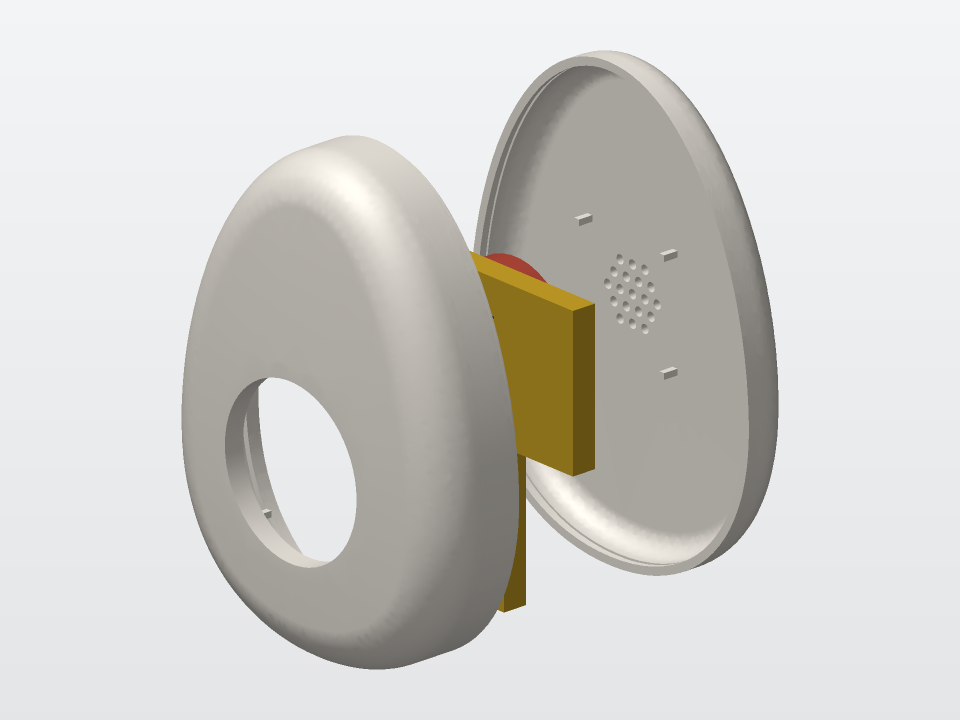
Ask for any shape, even an egg or a heart. Fabwright checks that the board, screen and battery fit inside, shows you thinner or smaller layouts, and exports files for your 3D printer.
- Print-ready case files (STL, 3MF, STEP)
- Parts list with where to buy them
- Wiring table and numbered assembly steps
- The firmware, ready to upload
What the simulator can and can't tell you
If the code crashes on a real board, it should crash in Fabwright too. Every part says what is simulated exactly, what is approximated and what isn't simulated at all.
Checked in the simulator
Wiring mistakes, the code's behavior, screens, buttons, sensors, a robot driving an arena, and whether the parts fit the case.
Still to try on the real thing
How it feels in your hand, real sound, exact battery life and the printed plastic. Fabwright lists these for every build.
Learn to build it yourself
Beginner guides to robots and gadgets, with parts lists and step by step builds.
Questions
Do I need to know electronics or coding?
No. Describe what you want in plain words. Fabwright explains each part and choice without jargon, and you can look at the wiring and code whenever you want to learn.
Is it really open source?
Yes, under the Apache-2.0 license. The code is being prepared for its public release; join early access to hear when the repository opens.
Which boards does it support?
Today Arduino Uno and Nano, with Wi-Fi through an ESP-01 module. More boards are on the way.
Can AI agents use it?
Yes. Fabwright exposes its tools over MCP, so Claude Code, Codex and other agents can design, wire, code and test a device while you watch.
Does it replace building the real thing?
No. It gets you to a design that works before you buy parts. Feel, sound, battery life and the printed case still need the real device.
Build your first gadget
Get early access and a note when the open-source repo goes public. One email when it's ready, no spam.